Project 1

Car Delivery
Project Overview
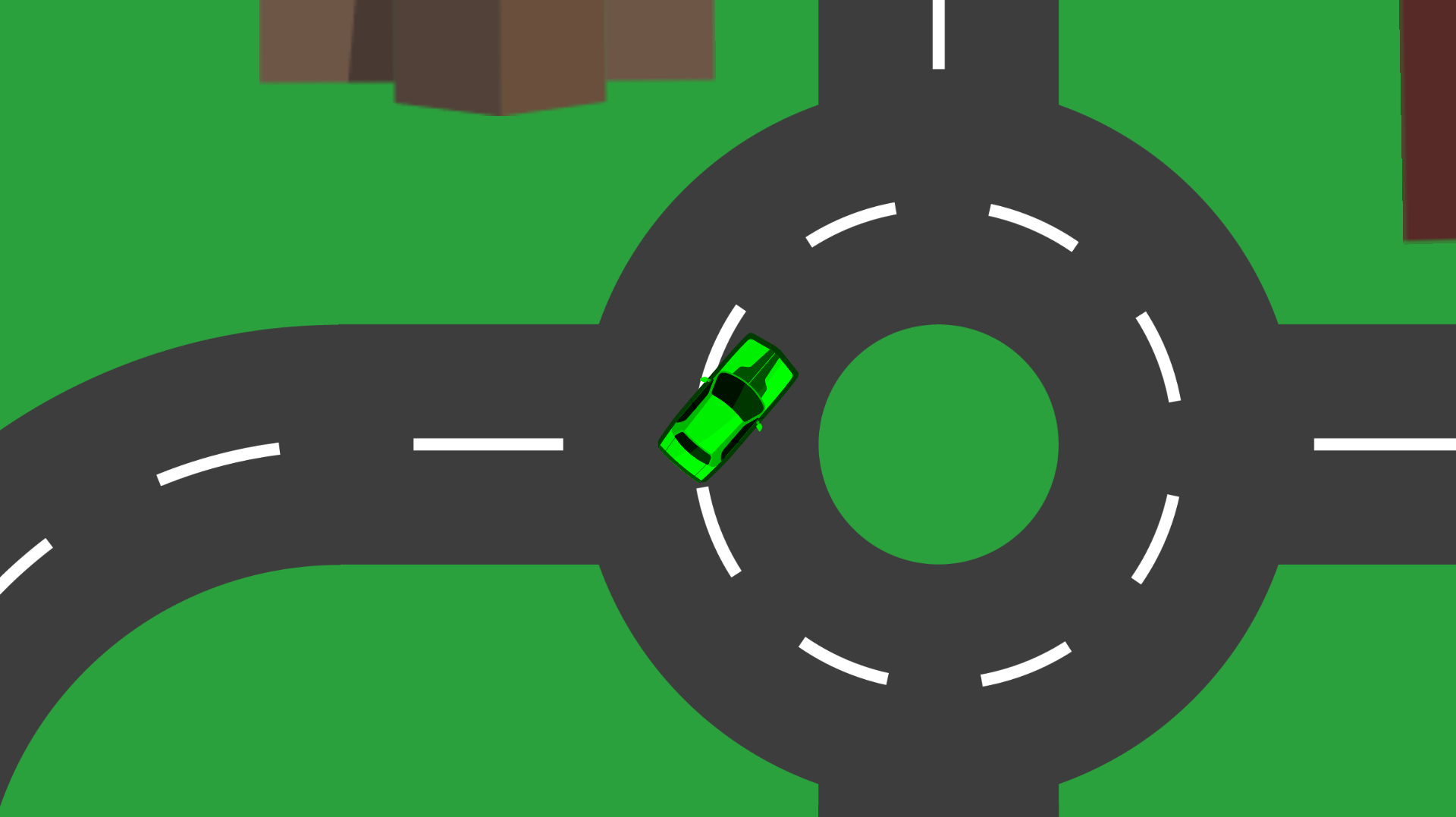
Package Dash is a top-down 2D delivery game built in Unity using C#. The player controls a delivery vehicle and must navigate through a defined path to pick up and drop off packages. With every successful pickup, the car’s color changes dynamically, offering a visual cue for active deliveries.
My Contributions
I designed and developed the complete game logic, movement system, pickup mechanics, and visual feedback.
Car Delevery
Core Features:
‍
Top-Down Driving Mechanics: Smooth and responsive 2D controls for realistic vehicle handling.
‍Color Change System: The vehicle’s color changes when a package is picked, signaling active delivery status.
‍Package Pickup and Drop System: Interactive delivery logic using collision detection and triggers.
‍Real-time Feedback: Visual indicators ensure the player knows package status without cluttered UI.
Built with Unity & C#: Entire gameplay coded using C# scripts, including movement, package logic, and color feedback.

Project 2

Surfer
Project Overview
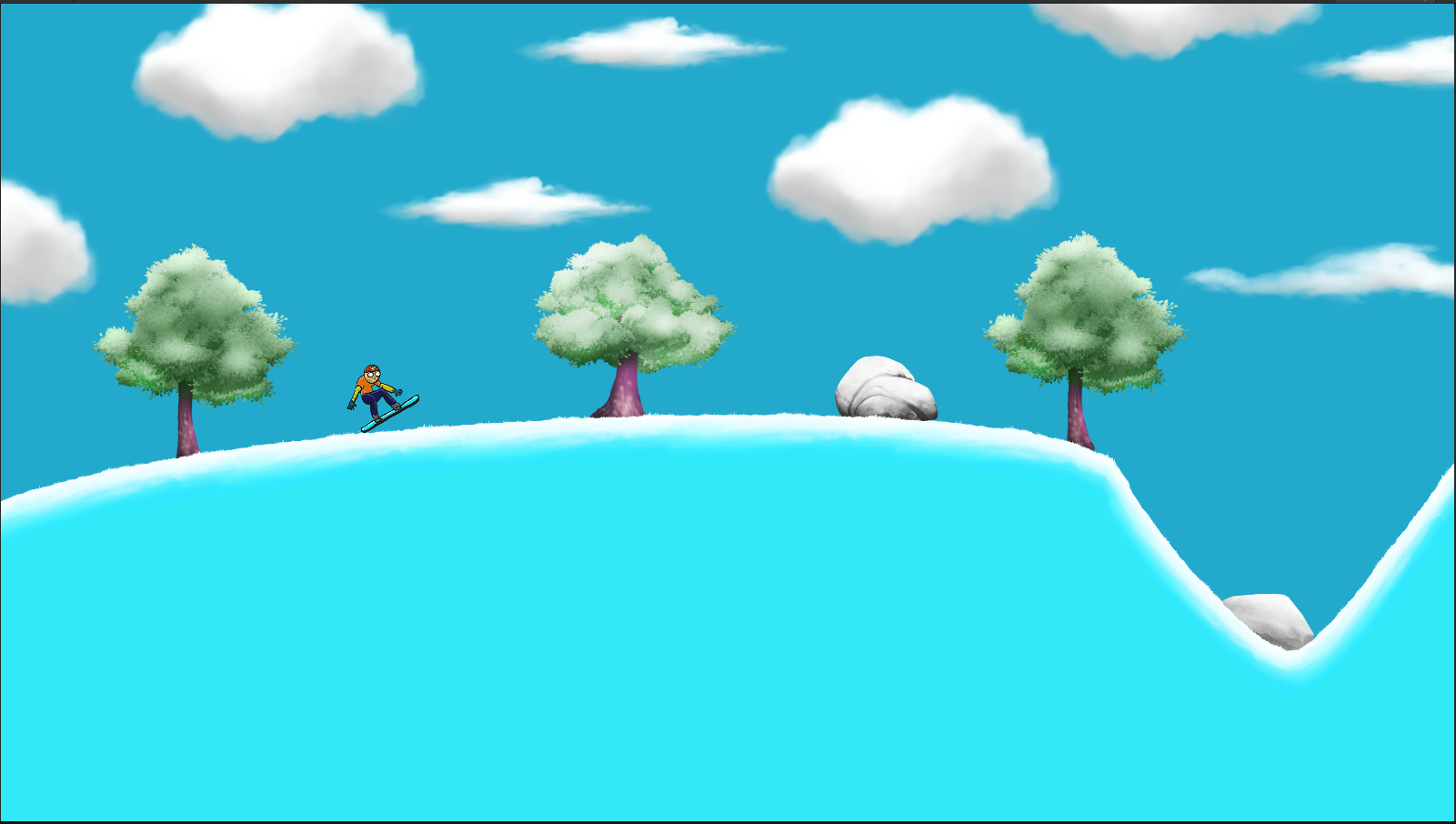
Surfer Game is a fast-paced 2D endless-runner style game developed in Unity, featuring a side-scrolling surfing experience. The player controls a character riding a surfboard, navigating through waves, flips  and dodging obstacles like buoys and rock.
My Contributions
I I was solely responsible for the development of Surfer Game, handling everything from initial concept to final build. I designed the core gameplay loop and mechanics to create a fun and fast-paced surfing experience. Using Unity and C#, I implemented smooth player movement, obstacle collision detection, . I also built the game’s UI, including score display and game-over screens, ensuring a clear and responsive user experience Throughout development, I conducted extensive playtesting, debugging, and gameplay balancing to refine the overall experience.
Surfer
Core Features:
‍Smooth Player Controls: Implemented responsive horizontal movement and jumping mechanics using physics-based inputs.
‍Obstacle System: Designed and programmed random spawning of rocks, buoys, and other hazards.
‍Animation & Effects: Added sprite-based animation for the surfer and parallax scrolling background for a dynamic feel.
‍Game Loop: Created a restartable loop with game-over conditions and clean state reset.
Visual Design : Custom sprite assets for character, coins, obstacles, and environmentBackground parallax layers to create depth and motion illusionColorful ocean palette for an engaging visual theme.
Learning Outcomes : Strengthened skills in Unity 2D physics and animation systemsDeveloped experience in handling game states and collision systemsImproved debugging, UI design, and code organization using C#

Project 3

Flappy Plane
Project Overview
Flappy Plane is a 2D arcade-style game built in Unity using C#. The player controls a flying plane that must navigate through obstacles while maintaining altitude and avoiding collisions. The objective is to survive as long as possible while achieving the highest score.
My Contributions
I  developed the complete gameplay system, including flight mechanics, obstacle spawning, collision handling, scoring system, and UI feedback.
Flappy Plane
Core Features:
2D arcade-style endless runner game
: Smooth and responsive 2D controls for Tap/Click controls to control vertical movement
‍Procedural obstacle spawning: randomly generated obstacles pipes endless
‍Unity 2D Physics System: Interactive delivery logic using collision detection and triggers.
‍Real-time Feedback: Visual indicators ensure the player knows package status without cluttered UI.
Built with Unity & C#: game is to navigate the plane safely through randomly generated obstacles (pipes/buildings) and score points by successfully passing through gaps.The game ends when the plane collides with an obstacle or the ground.

Project 4

Ball Blast
Project Overview
Ball Blast is a 2D physics-based casual mobile game developed using Unity.The player controls a basketball and launches it toward a basket by dragging and releasing onthe screen. The game relies on realistic physics, including gravity, force, collision detection, andprojectile motion, to create challenging and engaging gameplay.
My Contributions
I developed the complete gameplay system, including Controls,Gameplay Mechanics, Physics Behind Trajectory, Complete game.
Ball Blast
Core Features:
Create the basketball using a Rigidbody2D and Circle Collider 2D to enable realisticphysics interactions.
Implement a drag-and-release shooting mechanic in the BallController script tocalculate shot direction and launch force based on player input.
Generate a trajectory prediction system using multiple points to visualize the ball'sexpected path before launch.
Use Unity's 2D Physics Engine to handle gravity, collisions, bouncing, and obstacleinteractions automatically.
Detect successful shots using a trigger collider attached to the basket and notify the GameManager when the ball enters the scoring area.
Manage game states such as Win, Lose, Pause, Resume, and Restart through theGameManager script.

Project 4

Star Blaster
Project Overview
Star Blaster is a 2D space-shooter game developed in Unity where players control a spaceship and defend Earth from waves of enemy spacecraft. The game features multiple enemy ships, projectile-based combat, player health, score tracking, and a game-over system.
My Contributions
My contribution to the project involved developing the core gameplay mechanics using Unity and C#. I implemented the player spaceship movement and shooting system, enemy spawning and attack mechanics, projectile interactions, collision detection, player health, and score systems. I also worked on the game UI, including health and score displays, and implemented the Game Over, Retry, and Main Menu functionality. Additionally, I tested and debugged the gameplay to ensure smooth and responsive player interactions.
Star Blaster
Core Features:
Player Spaceship Controls – Smooth movement and responsive controls.
‍Shooting Mechanic – Fire projectiles to destroy incoming enemies.
‍Enemy Waves – Multiple enemy spaceships spawn and attack the player
.Enemy Projectiles – Enemies can shoot bullets toward the player.
‍Health System – Player health decreases when hit by enemy attacks.
‍Collision System – Detects interactions between players, enemies, and projectiles.
‍Score System – Players earn points by destroying enemy spaceships.
‍Game Over System – Game ends when the player's health reaches zero.
‍Retry & Main Menu – Players can restart the game or return to the main menu.
‍UI System – Displays important gameplay information such as score and health.

Project 5

UnderWorld
Project Overview
UnderWorld is a 2D action/adventure game developed in Unity, featuring an immersive environment, player movement, interactive gameplay elements, and a mobile-friendly control system. The project focuses on creating an engaging gameplay experience with responsive controls, interactive UI, and smooth scene management.
My Contributions
My contribution to the project involved developing the core gameplay mechanics using Unity and C#. I implemented the player movement and shooting system, enemy AI and attack mechanics, projectile interactions, collision detection, player health and life systems, and gameplay progression. I also worked on character animations, camera movement and effects, level and scene management, and the game's UI and menu functionality. Additionally, I tested and debugged the gameplay to improve responsiveness, stability, and the overall player experience across all levels..

UnderWorld
Core Features:
Player Movement & Controls –
Responsive 2D player movement designed for smooth platforming gameplay.
Shooting & Combat System – Allows the player to attack enemies using projectiles and engage in combat throughout the levels.
‍Enemy AI – Enemy characters use AI-based behaviour to interact with and attack the player.
Health & Life System – Tracks player health and manages player lives during gameplay.
‍Physics & Collision System – Handles player, enemy, projectile, and environment interactions using Unity's physics and collision systems.
‍Character Animation – Implements character animations to provide responsive visual feedback during gameplay.
‍Camera System – Includes smooth camera movement and camera effects to enhance the gameplay experience.
‍Level Progression – Features 11 playable levels with progressively increasing difficulty.
‍Scene Management – Manages transitions between the Main Menu, 11 gameplay levels, and the Ending Scene.
‍Main Menu – Provides the starting point for the game and navigation into gameplay.
‍Ending Scene – Provides a dedicated ending sequence after completing the game.
‍Game UI – Displays important gameplay information and provides interactive menu functionality.